Use cases • contractors • FM • housing • care settings

Choose the path that matches your team.

Fire Door App is one platform, but different teams buy it for different reasons. Start with the use case closest to your operating model, then explore the platform depth behind it.

7‑day trial. No card. Cancel anytime.

Need the inspection workflow first? See the fire door inspection app →

Web + mobile
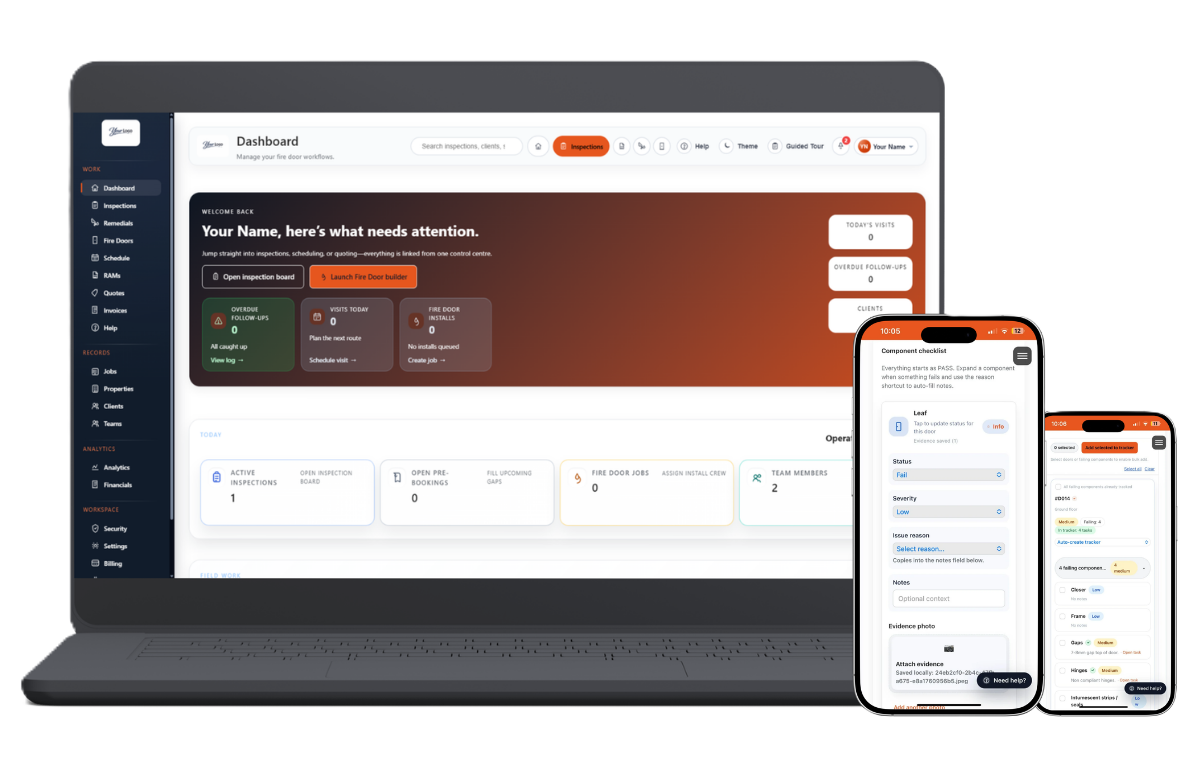
Fire Door App shown across desktop and mobile. Click to enlarge
Home Use cases
Start with

Your operating model, not the platform

Different teams buy Fire Door App for different reasons. Start with the use case closest to how your team actually works - then the platform depth behind it will make more sense.

What it helps with

Recognising the right fit quickly

Each use-case page explains the pains, the platform fit and the most relevant guides for that kind of team - without requiring you to read the whole platform first.

How to use this page

Pick the audience that matches your team

Read the four cards below, find the one that describes your environment, then follow it into the relevant platform modules and guides.

Four common ways teams use Fire Door App

Start with the environment
you recognise most.

Each card explains the pains, the platform fit and the most relevant guides for that kind of team.

Field teams
For contractors
Contractors
& installers
For teams moving from site capture into quotes, RAMS, delivery sign-off and invoicing - and who need door-level evidence that survives repeat visits and client reviews.
Inspect Quote Deliver Invoice
Why contractors start here
The platform handles the full job cycle - not just the inspection. Quotes and RAMS built from findings, sign-off proof attached to the door, invoicing from the same delivery trail.
Inspections Quotes & RAMS Remedials Invoicing Client portal
Estates teams
For FM teams
FM
& estates
For teams responsible for repeat inspections, remedials planning, audit trails and handover across multiple sites - where the connection between visits matters as much as each individual inspection.
Visit Record Plan Handover
Why FM teams start here
Repeat-visit door histories, remedials scheduling and audit-friendly exports - all joined to the same door record. The platform replaces the separate tracker that FM teams typically maintain alongside inspections.
Repeat inspections Door register Remedials planning Scheduling Audit trail
Housing providers
For housing providers
Housing
providers
For portfolios that need consistent property-linked records, clear remedials visibility, portfolio reporting and a client portal that stakeholders - including residents and regulators - can access without generating admin overhead.
Record Report Share Evidence
Why housing providers start here
Portfolio structure, stakeholder-facing reporting and controlled portal sharing - built around the same door-level evidence. Consistent across buildings and traceable when questioned by residents, auditors or regulators.
Portfolio structure Remedials visibility Portfolio reporting Client portal Compliance evidence
Care settings
For care settings
Care homes
& hospices
For smaller operational teams that still need clear records, repeatable inspection histories and simple document sharing - without the admin overhead of a complex compliance workflow or a dedicated document management resource.
Inspect Record Report Share
Why care homes start here
Simple repeat-visit histories, readable PDF reports and controlled portal sharing - without needing a dedicated compliance team to produce them. The platform scales to smaller teams without sacrificing the evidence trail.
Repeat visits Door histories Readable reports Document sharing Simple setup
Not sure which fits? Start with inspections - every team begins there.
One platform, different buying reasons
01

Audience-first.

Use-case pages help visitors recognise the fit faster based on how their teams actually work - not based on a feature list. The question is not "what does the platform do?" but "does it match how we operate?"

Start with contractors
02

Connected to theplatform.

Each use case links back into the same platform depth - modules, screenshots and supporting guides. The audience path is the entry point; the platform pages give the detail once the fit is confirmed.

See the platform overview
03

Backed by practicalguides.

The resources library gives the rollout and process detail behind each use case - not just the overview. Each guide covers a specific capability or workflow step, so teams can go as deep as they need to.

Browse the resources library
Next step

Choose the audience closest to your team.
Then see it on a real workflow.

Start with the use case that matches your delivery model, then move into the product depth or the most relevant guides when you want detail. If you already know inspections are the priority, jump straight to the fire door inspection app.

7-day trial. No card. Cancel anytime.

Contractors FM & estates Housing providers Care settings